Micro-Moments in Marketing: A Practical Guide to Customer Intent

Micro-moments are brief occasions when someone turns to a device to answer a question, find a place, complete a task or buy something. A search for a nearby repair shop needs a different response from a search for instructions to fix the problem at home.
Google introduced its micro-moments framework in 2015. The term describes intent during an interaction rather than a new advertising channel. For marketers the useful distinction is between what someone needs now and what the business wants to sell.
Four Types of Micro-Moments
Google groups these interactions around four intentions: knowing, going, doing and buying. Use these categories to organise customer questions rather than treating every visit as a request to purchase.
Looking for Information
An information search starts with a question. Someone researching tattoo aftercare needs an explanation of the healing process. Someone comparing website services needs to understand the difference between paying for a build and paying for ongoing management.
For an informational page, put the answer before the sales pitch. Explain unfamiliar terms where they first appear. If a reader needs a qualification to interpret the answer correctly, keep the qualification beside the explanation rather than hiding the detail near the bottom of the page.
Finding Somewhere to Go
A local search calls for practical details: location, opening hours, services and contact options. Consider a customer searching for a gym before work. A timetable and information about access matter more to this visit than a long introduction to the business.
Review the journey from a local listing to the relevant website page. Compare the displayed address and hours with the business’s current details. For an appointment-only service, explain the booking requirement before someone makes the trip.
Completing a Task
A how-to search needs instructions. For example, a retailer selling flat-pack furniture should offer assembly guidance with numbered steps, clear photographs and a list of required tools. The format should follow the task, so a physical movement often needs a demonstration while a settings change needs the exact menu labels.
Keep product versions and other limitations visible. Instructions for an older model need a clear label, especially when following the wrong steps risks damaging the product.
Making a Purchase
A purchase-focused visit needs enough detail to complete the decision. For a product, show the price, availability, delivery charges and returns information. For a service, explain the scope, fees and booking process.
Distinguish the action available now from the action requiring a reply. A request for a quote is different from a confirmed booking. Button labels and confirmation messages should make the distinction clear.
Build Pages Around the Immediate Question
The same business serves several intentions. A dance school, for example, needs different answers for a parent comparing beginner classes and a returning customer checking tonight’s timetable. Sending both visitors to a general homepage adds an unnecessary search within the website.
Give Each Page a Specific Job
List recurring questions from customer emails, calls and search queries. Group questions sharing the same task. A class page should bring together age requirements, session times, prices and the booking link. A separate guide should explain what to wear for the first lesson.
Write headings using the terms customers recognise. Place the main answer close to the top, then develop the explanation with examples or relevant conditions. Concise wording helps readers scan, but a complicated question still deserves a complete answer.
Clear answers also matter for search presentation. Google selects featured snippets automatically. There is no markup for declaring a page a featured snippet, so treat a prominent search result as a possible outcome rather than a promised result of formatting.
Test the Task on a Phone
Open the page on a phone and complete the action from start to finish. Try finding a price, opening directions, making a booking or submitting the enquiry form while recording missing information and any step requiring repeated zooming or awkward scrolling before reaching the confirmation screen.
If an advertisement promises an appointment for a particular service, send the visitor to the corresponding booking page so the advertised service stays visible throughout the process instead of disappearing behind a general menu.
Check page loading separately from content layout. A page with readable text still needs attention if a large image delays access to the booking controls. Avoid placing the answer behind an introductory animation or a promotional overlay.
Use Customer Data Without Guessing Intent
A search phrase provides a clue about the visitor’s immediate question. A page view alone does not explain the visitor’s full circumstances. Someone reading delivery information is perhaps comparing costs or checking an existing order.
Look for Specific Gaps
Compare customer questions with the information already published. Repeated calls about parking suggest the location page needs a clearer answer. Questions about the same delivery restriction suggest the restriction needs more visible wording before checkout.
Use analytics to investigate a defined problem. For a booking page, compare visits with booking starts and completed bookings. A large gap between starting and finishing deserves a check of the form, payment process and appointment availability before increasing advertising spend because additional visitors would still face the same unresolved booking problem.
Personalisation needs an explicit purpose. As a planning example, a business serving several areas would let visitors choose a location and then display the relevant opening hours. Predicting someone’s needs through AI adds little to this task if a visible location selector already provides the answer.
Keep Channels Consistent
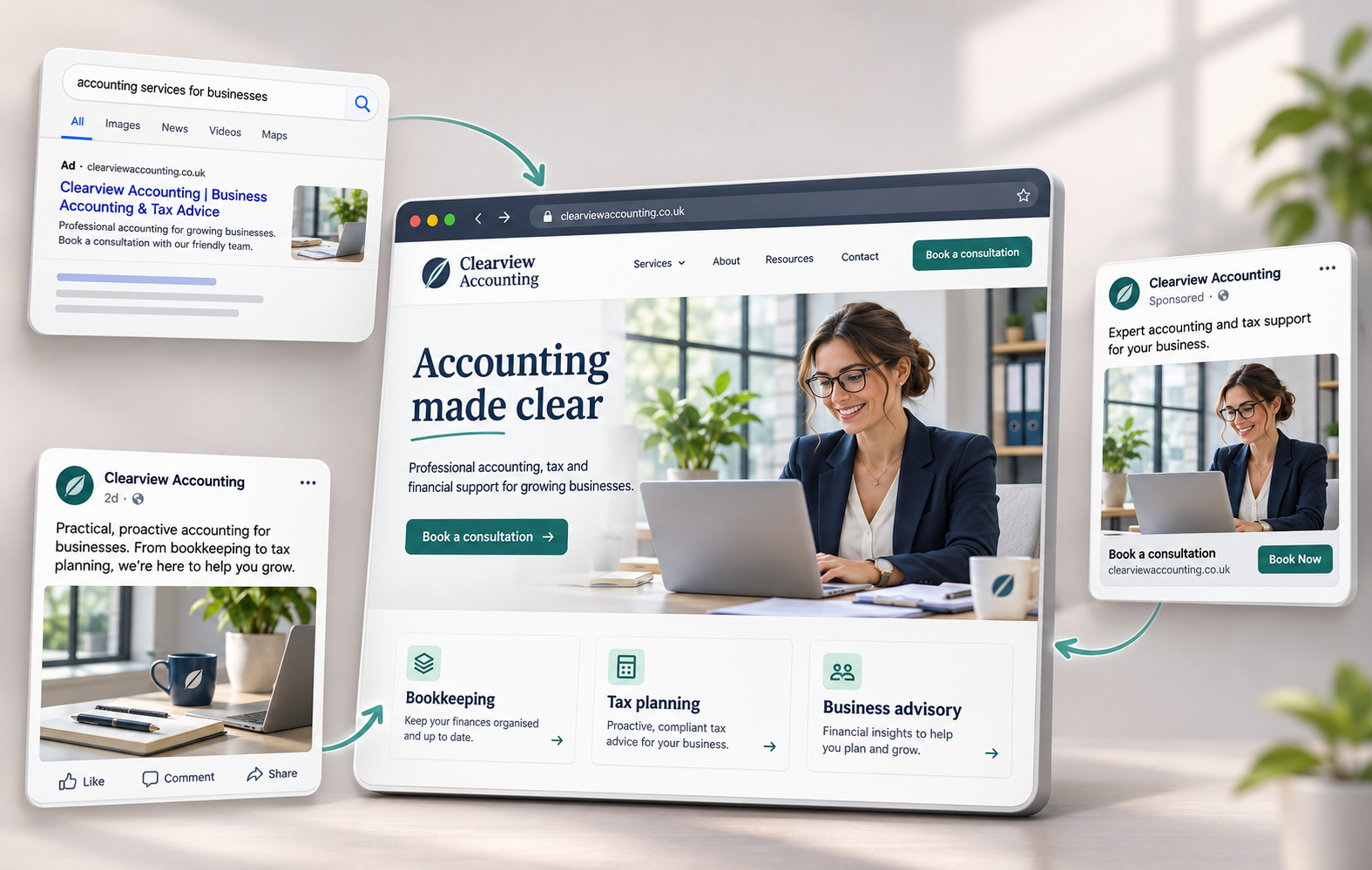
Consistency across channels means matching the offer and practical details. A social post advertising a beginner class should lead to the same class, price and schedule on the website. Matching colours alone does not resolve a contradictory offer.
When changing a promotion, update the advertisement and destination together. Check any confirmation email as well. If the website says a deposit is required but the follow-up message describes full payment, the customer receives conflicting instructions at the point of booking.
Measure the Action Each Page Supports
Choose the measurement before judging the page. A completed purchase answers a different question from a click on a phone number. Track both where relevant, but keep the actions separate in reporting.
Separate Interest from Business Results
Click-through rate measures the share of impressions producing clicks. Conversion rate measures the share of a defined group completing a chosen action. State the denominator when reporting results so a rate based on visits is not compared directly with a rate based on ad clicks.
For a local service, record submitted enquiries and review how many become suitable leads or customers. A phone-link click shows an attempt to call rather than proof of a connected conversation. For ecommerce, compare completed orders and revenue with advertising costs rather than judging success through product-page visits alone.
Read Attribution with Its Limits
Attribution assigns credit for an outcome to recorded interactions. Google Analytics offers data-driven and last-click models, which distribute credit differently. A report’s assigned credit should not be described as a direct observation of the customer’s private decision.
Privacy restrictions, technical gaps and movement between devices affect measurement. Google Analytics uses modelling to estimate some unobserved key events when sufficient data supports the estimate. A micro-moment is an interpretation of intent rather than a standard event captured automatically by an analytics tool.
For the first improvement cycle, choose one recurring task such as finding a suitable appointment. Record the current completion rate, change the relevant page and compare results over periods with similar traffic sources and appointment availability. Keep a record of pricing or campaign changes alongside the comparison because an increase in completed bookings following a discount does not isolate the effect of clearer wording or a shorter booking form.