Local SEO for Small Businesses: Google Profiles, Reviews and Website Pages
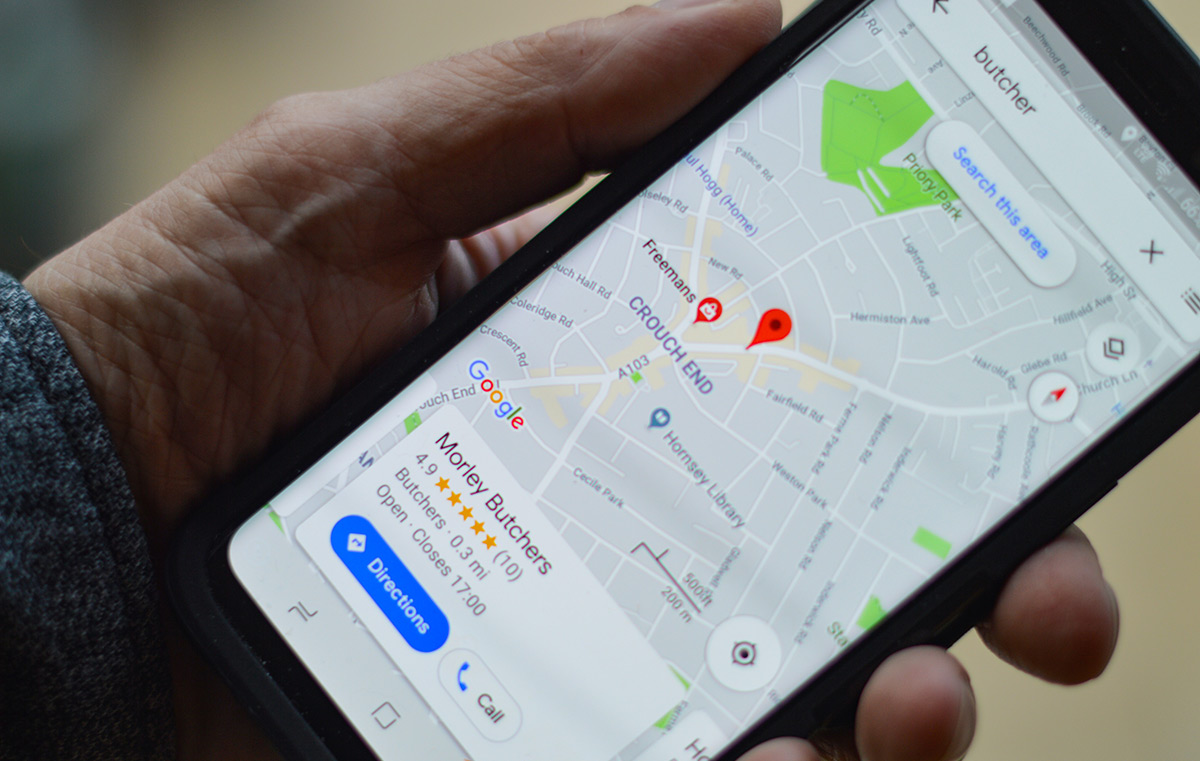
Someone searching for an emergency plumber needs a business covering their area and answering the phone. Someone choosing a café needs accurate opening hours and directions. Local SEO helps connect these searches with relevant businesses through map listings and website results.
A visible listing still needs to lead somewhere useful. Wrong hours, an outdated phone number or a service page missing basic details leave customers without a reason to contact you.
Understand What Shapes Local Search Results
Local SEO covers the work involved in making a business easier to find for searches connected to a place. Google Business Profile supports visibility in Search and Maps, while website pages explain services and locations in more detail.
Relevance, Distance and Prominence
Google describes local ranking through relevance, distance and prominence. Relevance concerns the match between the business and the search. Distance concerns proximity to the searcher. Prominence reflects how well known the business is, including signals from links and reviews.
A business improving its profile still faces a distance limit, because a nearby competitor offering the same service has a different relationship to the searcher’s location even when both listings contain accurate information.
There is no payment option for a better organic local ranking. Assess local advertising separately from SEO work.
Benefits to Measure Rather Than Assume
Local visibility gives customers a route to call, visit or enquire. Higher conversion rates and increased sales need evidence from your own records. A listing receiving more views has not necessarily produced more customers.
For a shop, compare enquiries about stock and directions with completed purchases where possible. For a service business, record the number of enquiries coming from areas you serve and the proportion becoming booked work.
Set Up an Accurate Google Business Profile
Check Eligibility and Business Details
Google Business Profile is the current name for Google My Business. Eligible businesses generally receive customers at a physical location or travel to customers. An online-only service does not qualify simply because the owner has a local address.

Use the business name recognised by customers. Keep service keywords and town names out of the name unless they form part of the real business name. Choose categories describing the actual business and provide the relevant contact details.
A virtual office does not qualify as a business location merely because the address is available for mail. Google’s rules require qualifying office arrangements, including staffing and receiving customers during stated hours.
Maintain Information Customers Use
Check normal hours and special hours before public holidays. Add current photos showing the premises, products or work customers should expect. Replace images representing services no longer offered.
If customers visit your premises, check the map location and arrival instructions against the entrance they should use, especially when a building has several businesses or the public entrance differs from the postal address.
Assign responsibility for updates after changes to contact details or services. Regular posts are useful when they communicate an actual offer or announcement. Avoid treating posting frequency as a guaranteed ranking improvement.
Match Website Pages to Local Customer Questions
Research Services and Locations Together
List the services you sell alongside the places you cover. Start with customer wording from calls and enquiries. A repair business needs to distinguish searches for a repair from searches for replacement parts or instructions to complete the work at home.
Google Keyword Planner provides keyword suggestions and search estimates. Semrush and Ahrefs offer keyword research tools for exploring related terms. Treat estimates as research inputs rather than a count of customers ready to buy.
Compare broad searches with more specific needs. For example, a café offering breakfast has a reason to describe breakfast options and opening times on its website. Repeating “best café” across the page supplies no evidence about the food or service.
Write Service Pages with Practical Detail
Use a clear page title and heading identifying the service and relevant location. Explain what the service includes, who you serve and how someone requests a quote or booking. Add prices or a description of how pricing works when appropriate.
For example, a page promoting boiler servicing in Dublin should explain the types of boilers covered and the booking process so visitors know the business handles their requirement before submitting their contact details.
Build separate location pages only when each has useful information. Genuine differences include a branch address, local staff, availability or completed work. Creating many pages with changed town names and the same generic text risks producing doorway pages rather than useful local information.
Keep Business Listings Consistent
Name, address and phone information is often shortened to NAP. Correct old contact details on the website and important listings after a move or number change. Check for duplicate profiles before creating another listing.
Prioritise directories customers use in your country or industry. Yelp, the relevant Yellow Pages service and trade directories are examples to investigate. A listing needs to represent the business accurately rather than exist only to increase a directory count.
Do not publish a private address simply to make every listing identical. Follow the relevant platform’s rules for businesses serving customers away from their own premises.
Collect Reviews Within Each Platform’s Rules
Google permits review requests through a link or QR code. Ask for an honest account of the customer’s experience without offering discounts, gifts or other incentives. Use a neutral request rather than directing only satisfied customers towards a public review page.
Yelp prohibits businesses from asking customers for reviews. Keep Yelp out of automated review-request campaigns. Check Facebook’s current requirements before including its review features in the same process.
Respond to Specific Feedback
Address the issue raised rather than posting an identical reply everywhere. Thank a reviewer for a useful detail or explain the next step for resolving a problem. Move discussions involving private customer information to a direct contact channel.
When several reviews describe the same delay or communication problem, ask the person responsible for the service to investigate the cause so replies are followed by a practical change customers will notice.
Report reviews breaking a platform’s rules through its reporting process. A negative opinion alone is not evidence of a policy violation.
Earn Local Links and Check the Mobile Experience
Seek Relevant Coverage
Local organisations and publishers offer opportunities for coverage when your business has something relevant to contribute. Examples include a trade association member profile or a local news story about a new service.
Choose community sponsorships for their audience and purpose. Paid links should use appropriate link attributes such as rel=”sponsored” or rel=”nofollow”. Buying links intended to pass ranking credit conflicts with Google’s link-spam policies.
Keep a record of the page featuring your business and the destination linked. After a website change, check these links still lead to the relevant service or contact page.
Test a Complete Enquiry on a Phone
Google uses the mobile version of website content for indexing and ranking. Keep essential service information available on mobile rather than removing important details to shorten the page.
Open the website on a phone and complete the same steps a customer would take. Check the following:
- Contact details: Tap the phone number and confirm the correct number opens.
- Forms: Submit a test enquiry and confirm the business receives the message.
- Directions: Check the linked map points to the correct premises.
- Readability: Read service details without zooming or scrolling sideways.
- Obstructions: Confirm banners and pop-ups leave contact buttons and form fields usable.
Measure Local SEO Through Enquiries and Sales
Separate Profile Activity from Website Traffic
Google Business Profile performance reports include views and interactions such as website clicks, direction requests and call-button clicks. A call-button click is not proof of a connected call. A direction request does not confirm a visit.
Google also states profile performance data includes activity from organic results and Google Ads. Avoid presenting the whole report as an SEO-only result when advertising is running.
Tag the profile’s website link to distinguish those visits in website analytics. Record changes to the profile and website beside the reporting period so later comparisons have context.
Use Search Console and Website Analytics Together
Google Search Console reports website impressions, clicks, click-through rate and average position. Review queries containing relevant services and place names alongside the pages receiving those clicks. Its standard geographic dimension covers countries rather than a city-level local ranking report.
Google Analytics 4 records website activity through events. Configure measurement for useful actions such as a successful enquiry submission. Keep phone-link clicks separate from completed enquiries and reconcile recorded leads with the messages received by the business.
If organic visits increase while qualified enquiries fall, inspect the search queries and landing pages before celebrating the traffic increase, because new visitors searching for jobs or free advice have different intentions from paying customers.
Compare Rankings with Consistent Conditions
Local SEO software offers tools for tracking visibility and managing listings. Compare the locations, keywords and reporting methods included before paying for a subscription. A ranking measured near the premises answers a different question from one measured across an entire service area.
Record the search location and device used when comparing rankings. Google results vary with context, so a single manual search is a limited sample.
For a monthly review, compare qualified enquiries and booked work with the same period’s search visibility. Investigate a drop at the relevant stage, such as a lost listing, fewer website clicks or a broken form, then record the correction before measuring the next period.