How to Use Webinars in Content Marketing
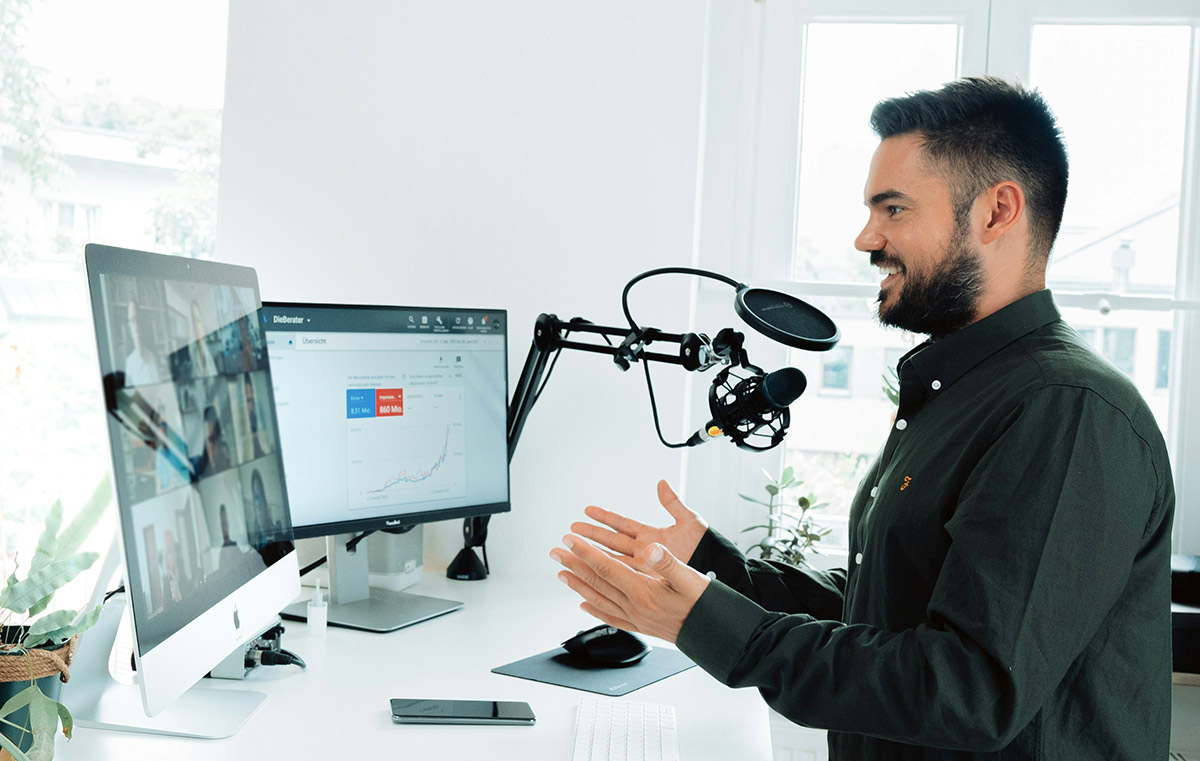
A webinar earns a place in your content marketing plan when your audience needs more explanation than a short article or video provides. A practical demonstration, a worked example or a discussion with a specialist gives people a reason to attend.
For example, an accounting firm serving small retailers might run a session on preparing a cash-flow forecast. The presenter builds a forecast using sample figures, explains the assumptions and answers questions about seasonal sales. Attendees leave with a method to follow and a clearer understanding of the firm’s approach.
Start with a useful outcome for the viewer. Then decide how the session supports your business, how people will hear about the event and what happens after attendance.
Give Each Webinar a Specific Job
A webinar aimed at reaching new prospects needs a different approach from a session for existing customers. Choose one main objective before writing the presentation.
For lead generation, focus on a problem your intended customers recognise. For existing prospects, explain a difficult purchasing decision or demonstrate a relevant use case. For customers, teach a task which helps them get more value from their purchase.
Demonstrate Expertise Through Useful Work
Claims about experience carry less weight than a clear explanation of a real problem. Show your reasoning, explain trade-offs and acknowledge the limits of your advice.
An agency presenting a campaign review might walk through an anonymised report. Explain which figures deserve attention, which need more context and which changes you would test first. Remove confidential information and distinguish sample data from measured results.
This approach gives viewers something to evaluate. A polished introduction and a long company history offer fewer reasons to stay.
Use Questions to Learn About Your Audience
Live discussion gives you an opportunity to explore questions beyond the prepared material. Invite attendees to submit questions during registration, then use relevant examples in the presentation.
During the session, ask questions with a clear purpose. For a cash-flow webinar, a poll about forecasting frequency helps the presenter judge the audience’s starting point. A generic question about whether everyone is enjoying the event provides less useful direction.
Separate Interest from Buying Intent
Registration shows interest in a topic. Registration alone does not establish a need for your service or readiness to purchase.
Plan follow-up around the attendee’s actions and stated needs. Someone requesting a consultation needs a different response from someone downloading a worksheet. Avoid treating every registrant as a sales opportunity.
Choose a Topic Worth Attending Live
A broad subject such as “Marketing for Small Businesses” leaves the audience guessing about the session’s value. A narrower topic, such as “Build a Monthly Marketing Report Using Your Existing Sales Data”, sets a clearer expectation.
Review questions from customers, sales conversations and support requests. Look for tasks people struggle to complete, decisions involving several options or mistakes requiring a detailed explanation.
Match the Format to the Task
Use a demonstration when viewers need to see a process. Use a presentation when the subject requires a sequence of explanations. An interview suits a topic where a guest’s experience adds detail unavailable from your own team.
For a panel discussion, give speakers different responsibilities. One person might explain implementation, another costs and another customer experience. Several speakers repeating similar opinions adds length without improving the answer.
A question-led session works best with enough questions prepared in advance. Collect submissions before the event rather than relying entirely on live participation.
Build Around One Main Outcome
Write a sentence describing what viewers should understand or complete by the end. Use this sentence to assess every slide and example.
For the forecasting session, the outcome might be a first draft of a monthly cash-flow forecast. Sections on company history or unrelated accounting services would distract from this goal.
As a starting schedule, allow five minutes to introduce the problem, twenty minutes for a worked example and fifteen minutes for questions. Treat these timings as a planning example, then adapt the session to the subject.
Prepare Visuals for Explanation
Show the material needed to follow your reasoning. A process diagram suits a sequence of steps. A screenshot suits a software task. A simple chart suits a comparison over time.
Keep text readable on a small screen. Crop screenshots around the relevant area and remove unnecessary interface details. For demonstrations, prepare sample records and close unrelated browser tabs.
Give attendees a worksheet or reference document when the task requires later practice. Explain when to use the resource rather than presenting another download without context.
Promote a Clear Promise
Your registration page should explain who the session serves, what the presenter will cover and what attendees will leave knowing. Include the date, time zone, expected duration and speaker details.
State whether a recording will be available. People unable to attend live then have enough information to decide whether registration makes sense.
Use Relevant Distribution Channels
Start with audiences already interested in the subject. Send an invitation to a relevant email segment, link from related articles and ask suitable partners to share the event.
Give partners a short description, an image and a registration link. Explain why the session fits their audience. Avoid asking them to promote a broad event with no clear connection to their work.
For social posts, share a specific problem or example from the session. A screenshot of an unfinished forecast with an explanation of the missing figures gives people more context than a speaker portrait alone.
Plan Invitations and Reminders Together
Set a promotion schedule before announcing the event. As a starting plan, publish the registration page several weeks ahead, send an initial invitation and schedule a reminder closer to the date.
Separate reminders for registered attendees from invitations to people who have not signed up. Registrants need joining instructions, the time zone and preparation details.
Ask only for registration information you intend to use. An email address supports event communication. Extra questions should serve a clear purpose, such as collecting topics for the presenter.
Rehearse the Full Attendee Experience
A rehearsal should cover registration, joining, presentation and follow-up. Test the event from an attendee’s perspective as well as the host’s account.
Check Access, Sound and Screen Sharing
Open the invitation on a second device. Follow the joining instructions and check the confirmation message. Verify whether attendees need an account, an application or another access step.
Test your microphone in the room you will use. Check background noise, lighting and the readability of shared material. Play any planned video clips during the rehearsal and confirm the audience receives the sound.
Confirm which interactive features your platform and subscription support. Prepare polls and check the question settings before the session.
Assign Responsibilities and a Backup Plan
Where staffing allows, separate presentation from moderation. The moderator watches questions, handles access problems and keeps the session on schedule.
Agree on a response to common failures. Keep a copy of the slides available to a second presenter. Prepare screenshots for a demonstration dependent on an external service. Decide who communicates with attendees if the main speaker loses their connection.
Rehearse handovers between speakers. Each presenter should know when to speak, what to share and who takes control next.
Keep the Live Session Focused
Begin with the promised outcome and a brief explanation of the session format. Tell attendees where to submit questions and when you will answer them. If you are recording, explain this at the start.
Avoid spending the opening minutes reading biographies already available on the registration page. Give enough background to establish the speaker’s relevance, then begin the useful material.
Place Interaction Where Answers Matter
Use a poll before an example if the result will influence your explanation. Pause after a difficult step to collect questions. Ask viewers to complete a small task when practice supports the topic.
Allow time for responses. Asking a question and immediately advancing the slide gives attendees little opportunity to participate.
Group similar questions and answer the most relevant ones first. Move account-specific or confidential discussions to a separate conversation. Save unanswered questions for follow-up.
Offer a Relevant Next Step
Choose a primary action connected to the session. A practical workshop might end with a template download. A product demonstration might offer a consultation for people evaluating a purchase.
Explain who the next step serves and what happens after someone responds. Keep the invitation brief enough to leave time for the promised questions.
Measure Attendance, Follow-up and Business Results
Decide how you will judge the webinar before promotion starts. Record registrations, live attendance and the action linked to your main objective.
Define each measure consistently. Live attendance rate is unique live attendees divided by registrants, multiplied by 100. Track recording viewers separately so the distinction stays clear.
Review Participation Without Overreading the Numbers
Zoom’s webinar reports include registration information and attendee join times, departure times and total session time. Separate reports cover questions, polls and surveys. Reporting access depends on account permissions and licensing.
Use available reports to investigate specific questions. A drop in attendance during a demonstration deserves a review of the recording. An unclear explanation, a technical problem or a change of topic are possible explanations. The attendance figure alone does not identify the cause.
Compare sessions serving similar audiences and objectives. An introductory session and a detailed customer workshop have different purposes, so one attendance benchmark offers limited guidance.
Connect Outcomes to Costs
Track consultation requests, qualified conversations or purchases according to the webinar’s objective. State the measurement period and the attribution method.
Include preparation, promotion, platform charges and follow-up in your cost calculation. For an ROI estimate, use attributable gross profit minus webinar costs, divided by webinar costs, multiplied by 100. Where attribution is uncertain, report the uncertainty alongside the result.
For longer sales cycles, review progress over time. Keep directly sourced opportunities separate from existing opportunities whose contacts also attended.
Turn the Recording into Useful Follow-up Content
Send attendees the recording and promised resources promptly. Send non-attendees a message acknowledging they missed the live session, with a direct route to the replay.
Avoid sending identical sales messages to everyone. Answer unresolved questions and prioritise people requesting a conversation.
Reuse Complete Explanations
Select clips answering a specific question from beginning to end. Add captions and enough context for someone unfamiliar with the full session.
Turn a detailed answer into an article, a worked example into a downloadable guide or recurring questions into a help page. Review dates, screenshots and product references before publication.
Give the Replay a Useful Home
Publish the recording with a descriptive title, a short explanation and relevant resources. Add timestamps so viewers have a route to the sections they need.
Embedding a recording does not guarantee search traffic. For eligibility for Google’s video search features, use a dedicated watch page where viewing the video is the main purpose. Google also requires an indexed watch page and an accessible, valid thumbnail, among other conditions. Page indexing alone does not guarantee video indexing.
Assign someone to review the replay page when the underlying advice changes. Replace outdated resources, correct instructions and retire recordings whose main guidance no longer applies.